01 ↗
Pack Duos
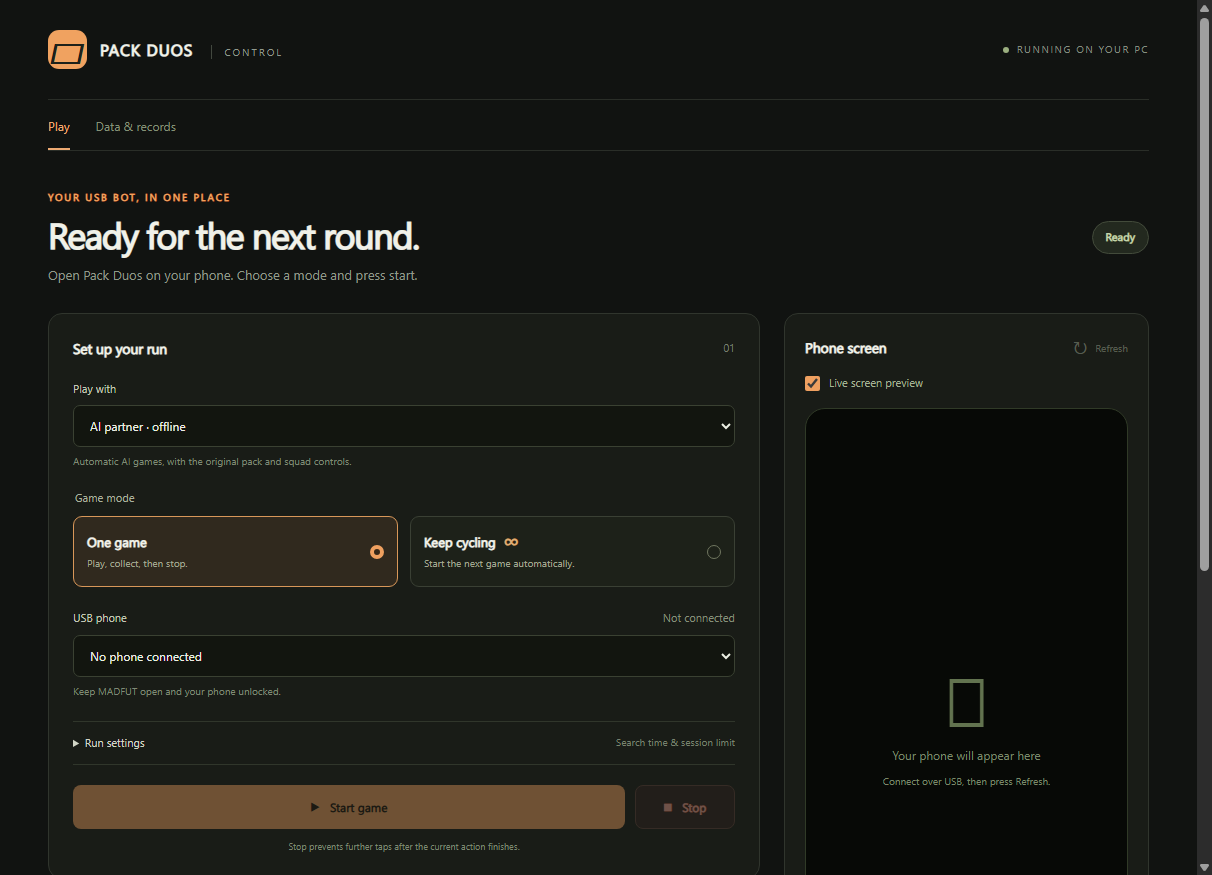
Run Pack Duos sessions from your desktop. Follow the live phone preview and keep your pack history in one place.
 REDOUBT.CC
WINDOWS DESKTOP / ANDROID USB
Two focused tools. One desktop app. Put Pack Duos and Free Packs in motion, with a clear view of every session.
Pack Duos + Free Packs · Windows 10/11 · Android required
01 — THE TOOLKIT
Run Pack Duos sessions from your desktop. Follow the live phone preview and keep your pack history in one place.
Open and save free packs in sequence. Set a pack or time limit, watch progress, and stop the session when you’re ready.
INSIDE THE APP
Real screenshots from a clean development profile. Connect your phone to start your own session.
02 — GET CONNECTED
Runs on your Windows computer, with your Android phone connected over USB.
Download the current Windows release from your account.
Install Android Platform Tools, enable USB debugging, and authorize your computer on the phone.
Open the matching game screen, select your limits and follow progress in the app.
03 — YOUR TOOLKIT
Pack Duos and Free Packs together in one desktop app.
Try the app for one hour, starting at your first desktop sign-in. No card needed. Subscriptions will be £6 per week; payments are not open yet.
One-hour free trial. No payment required to try.
BEFORE YOU START
A Windows 10/11 64-bit computer, an Android phone running MADFUT, a USB cable and Android Platform Tools. USB debugging must be enabled and authorized.
Phone automation runs locally on your computer. The website manages your account, purchases and downloads. Your local pack history is not uploaded to the store.
Open Updates & metrics in the desktop app to check, download and install a new version. Release notes explain what changed, and your local records are retained.
No. Redoubt is an independent tool and is not affiliated with or endorsed by MADFUT. Game names belong to their respective owners. Compatibility may change when the game updates.